Why YouTube does not show total playlist length - and the workaround
It feels like an oversight, but YouTube has never shown a playlist’s total length. The reason is a mix of design and practicality: playlists change constantly, videos go private, and a total would be wrong almost as often as it was right.
Playlists are moving targets
A creator can add, remove, privatise or re-edit videos at any time. A total shown on the page would go stale silently, and a wrong total is worse than no total for planning.
YouTube optimises for watching, not planning
The playlist page is designed to get you to press play on the next video, not to help you budget a week. Planning features would clutter the page most viewers never need.
The workaround that actually works
Add the durations. For a short list, a rough addition is enough; for a long course, paste the durations into a calculator and let it total them, including the time at faster speeds.
Worked example
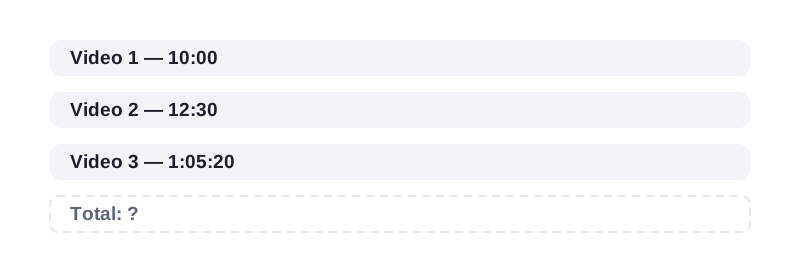
Take three videos — 10:00, 12:30 and 1:05:20. Added together they are 1 hour, 27 minutes and 50 seconds (1:27:50). Adding 10:00 + 12:30 + 1:05:20 by hand means carrying 60 seconds into minutes twice. A calculator does that carry for you and returns 1:27:50.
Frequently asked questions
Will YouTube ever add a total?
Nobody outside YouTube knows. It has been requested for years and never shipped, so plan as if it will not appear.
Do browser extensions show it?
Some do, but they need access to your YouTube pages and they break when YouTube changes its layout. Adding durations is slower but never breaks.
Is the workaround accurate?
Yes, for visible videos. Private, deleted or blocked videos are the only systematic gap, and they affect every method equally.
Paste your video durations and get the total, the time at faster speeds, and the days to finish.